.png)
new Smart Issue Templates for Jira Cloud 🌟
Release Date:
Platform: Cloud
Version: 27.0.0
Release notes:
new Link Hierarchy to Existing Issues (Set Issue)
What’s New?
You can now connect hierarchy child nodes to existing Features or Epics in your project instead of always creating new ones.
How to use:
-
Open Apply Hierarchy dialog
-
Click Set Issue on any parent node you want to link
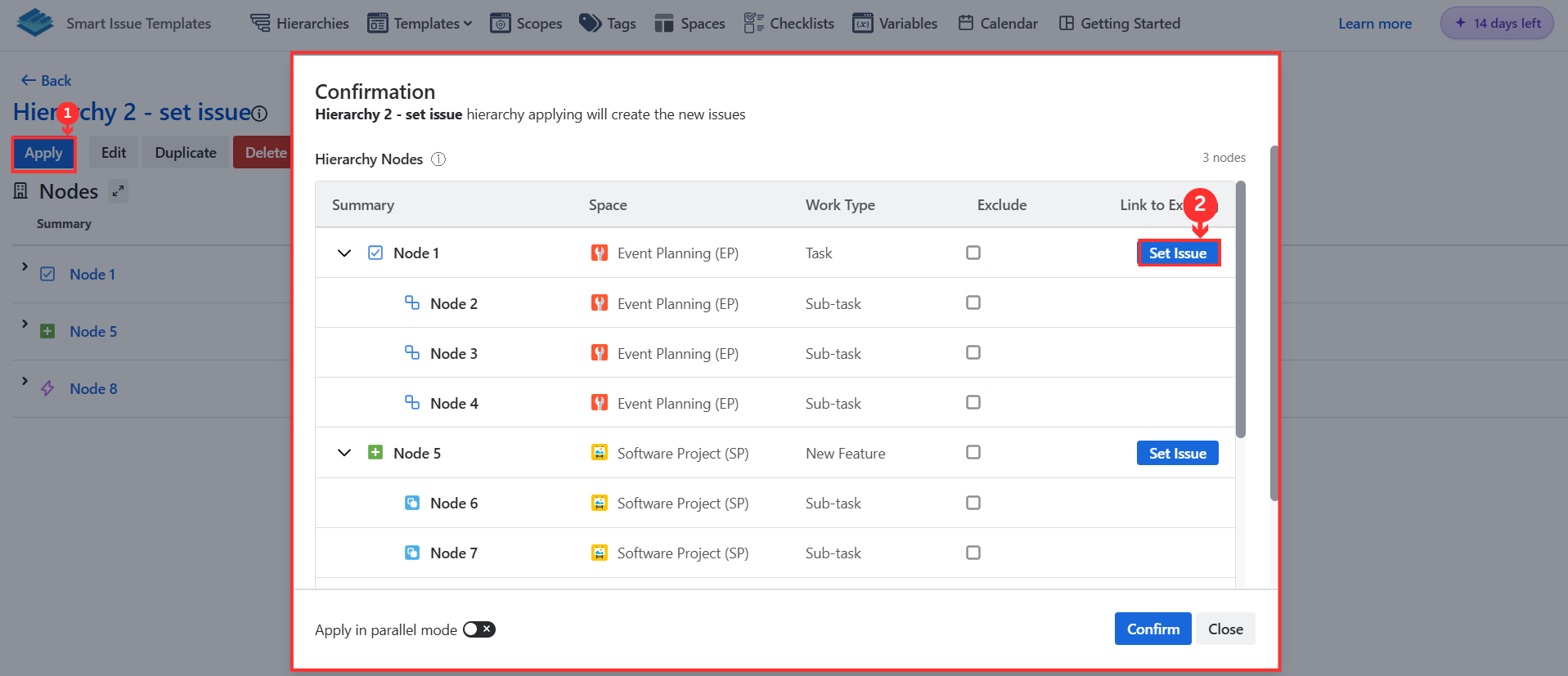
-
Search and select an existing issue from your project
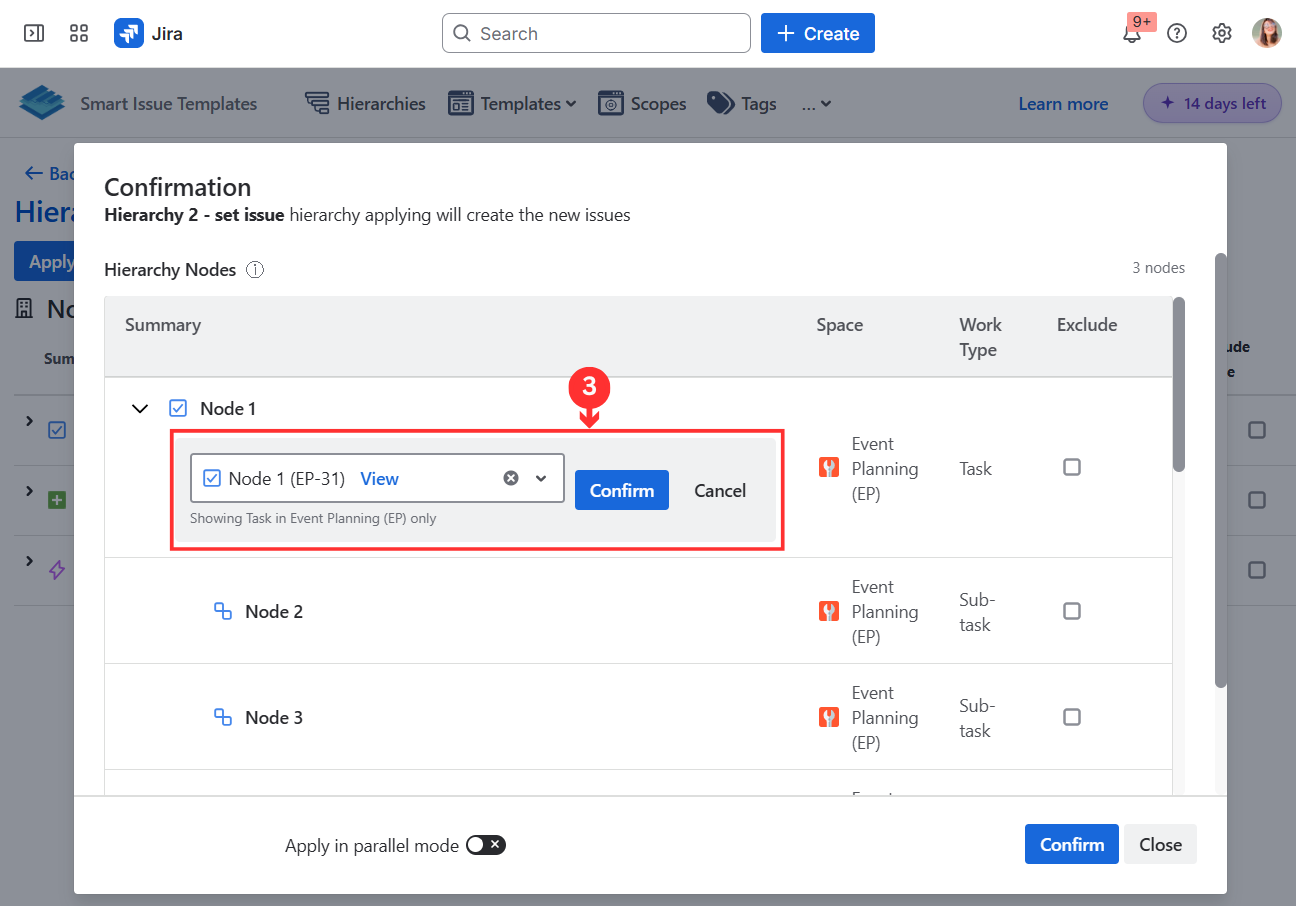
-
Apply the hierarchy - children will be created under your selected issue
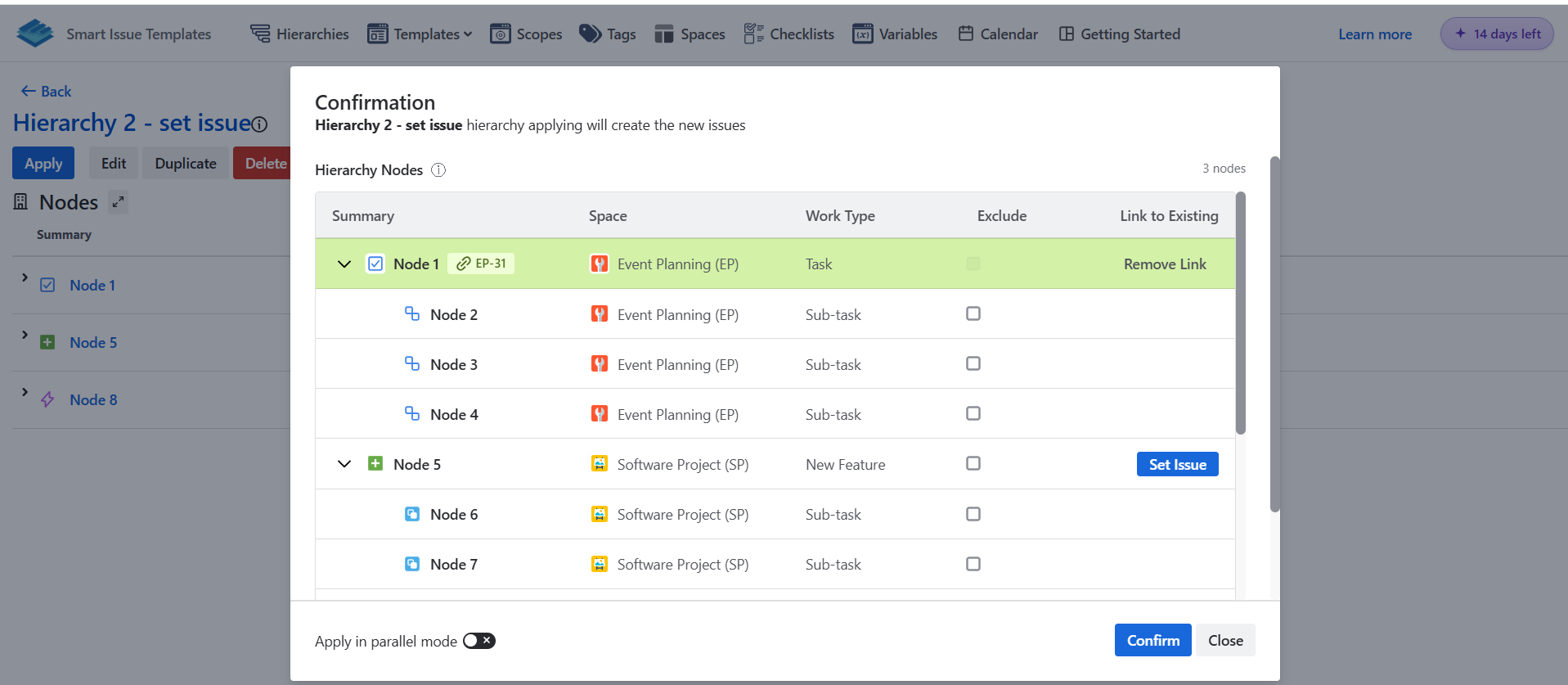
This is perfect for adding new work items to an existing Feature or Epic without duplicating parent issues.
IMPROVED Save Node - Now an Issue Action
What’s Improved?
Save Node is now accessible from the Issue Actions menu (⋯) instead of the issue panel - faster to find, fewer clicks to use.
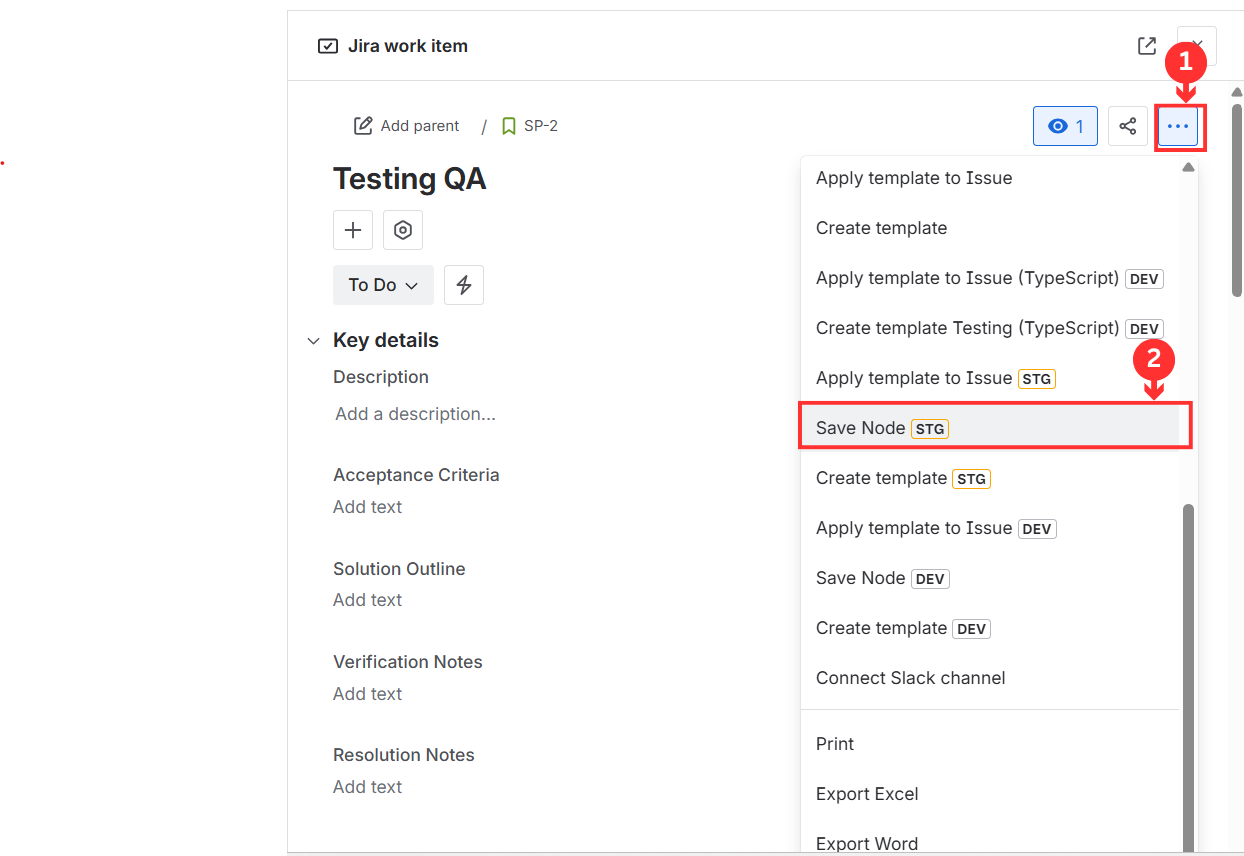
Key changes
-
Moved to Issue Actions menu for quicker access
-
Available on any issue without opening the panel
-
Same functionality, streamlined experience
improved Email Display in User Pickers
All user dropdowns now show email addresses alongside names, making it easier to identify the right person - especially helpful when multiple users share similar names.
new High-Performance Storage (Beta)
A new SQL-based storage option is available in Admin Settings → Storage Settings for improved template listing performance on large installations. High-Performance Mode
fixed Sprint field error - Fixed "Sprint must be a number" error when applying templates
fixed Avatar size - Fixed layout shift