.png)
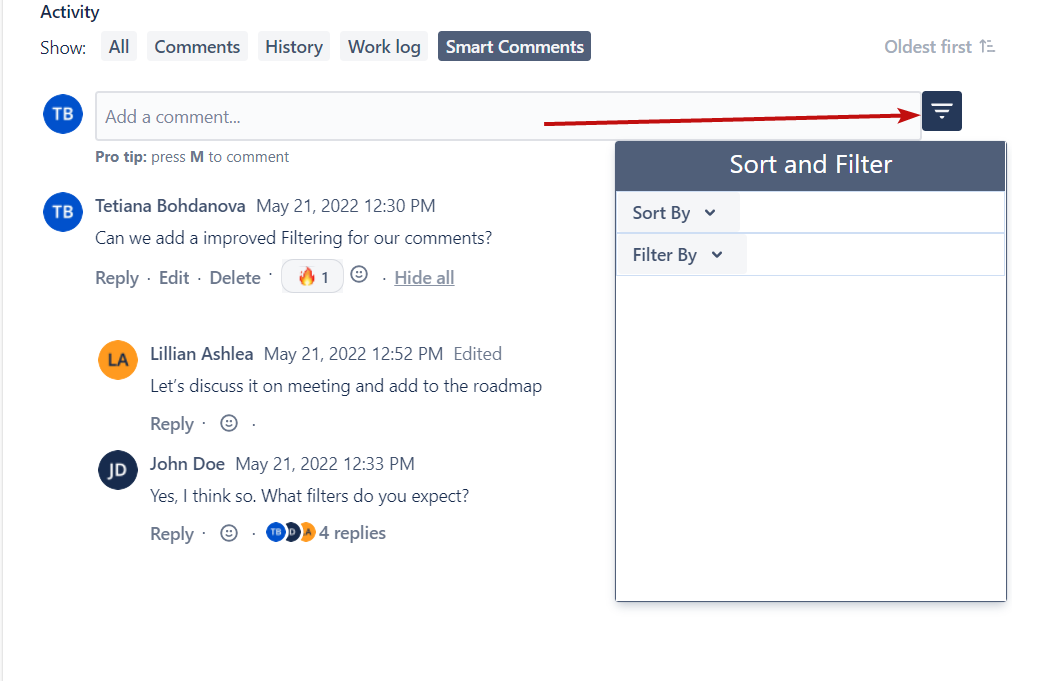
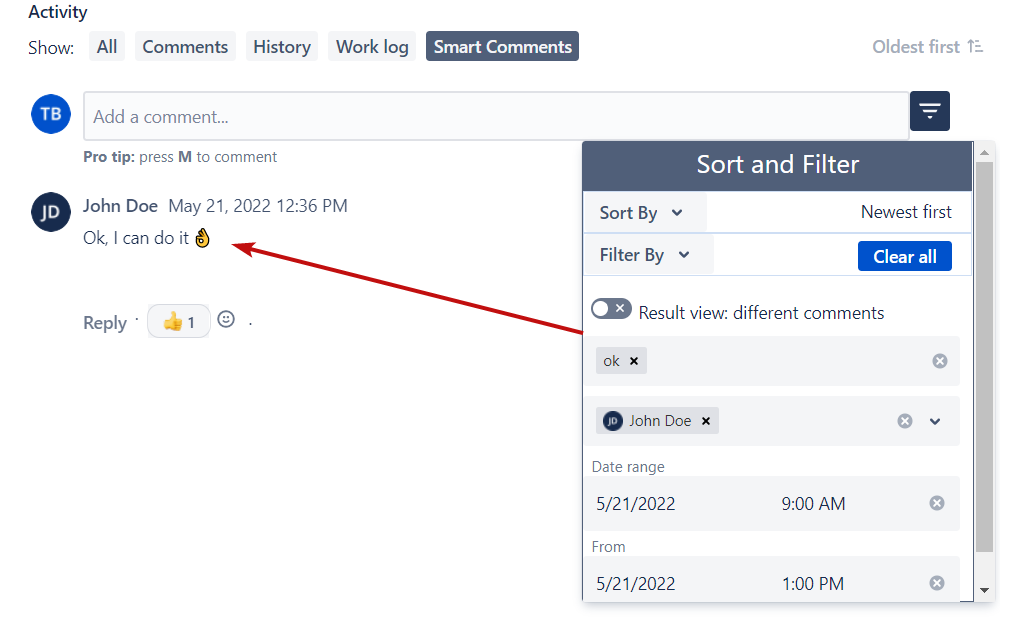
To open the ‘Sort and Filter’ action menu you should click the action button right to the ‘Add a comment’ field:
Sorting Comments
There are a few available options for your Smart Comments sorting:
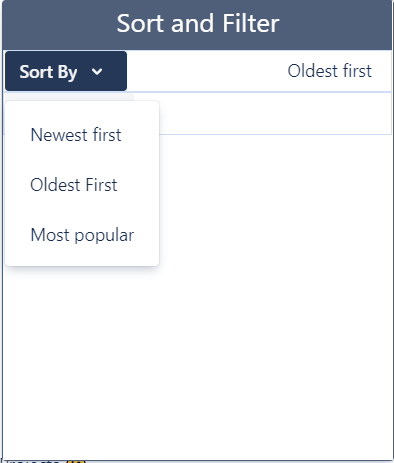
by Newest First - the newest created comments will be placed at the top
by Oldest First - the oldest created comments will be placed at the top (is set by default)
by Most Popular - comments with the highest number of responses will be placed at the top
Comments are sorted by the root comments parameters only.
Filtering Comments
There are three options to search for the comments you need:
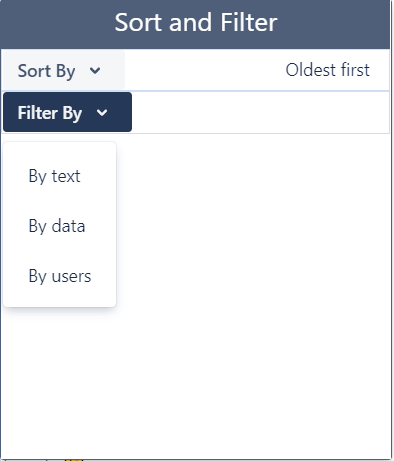
by text - search comments by the content: words, parts of words, and phrases.
by date - search comments by the creation time interval
by users - search comments by the comment author
To get search results without the root comments turn off the ‘Result view’ toggler in the ‘Sort and Filter’ action menu:
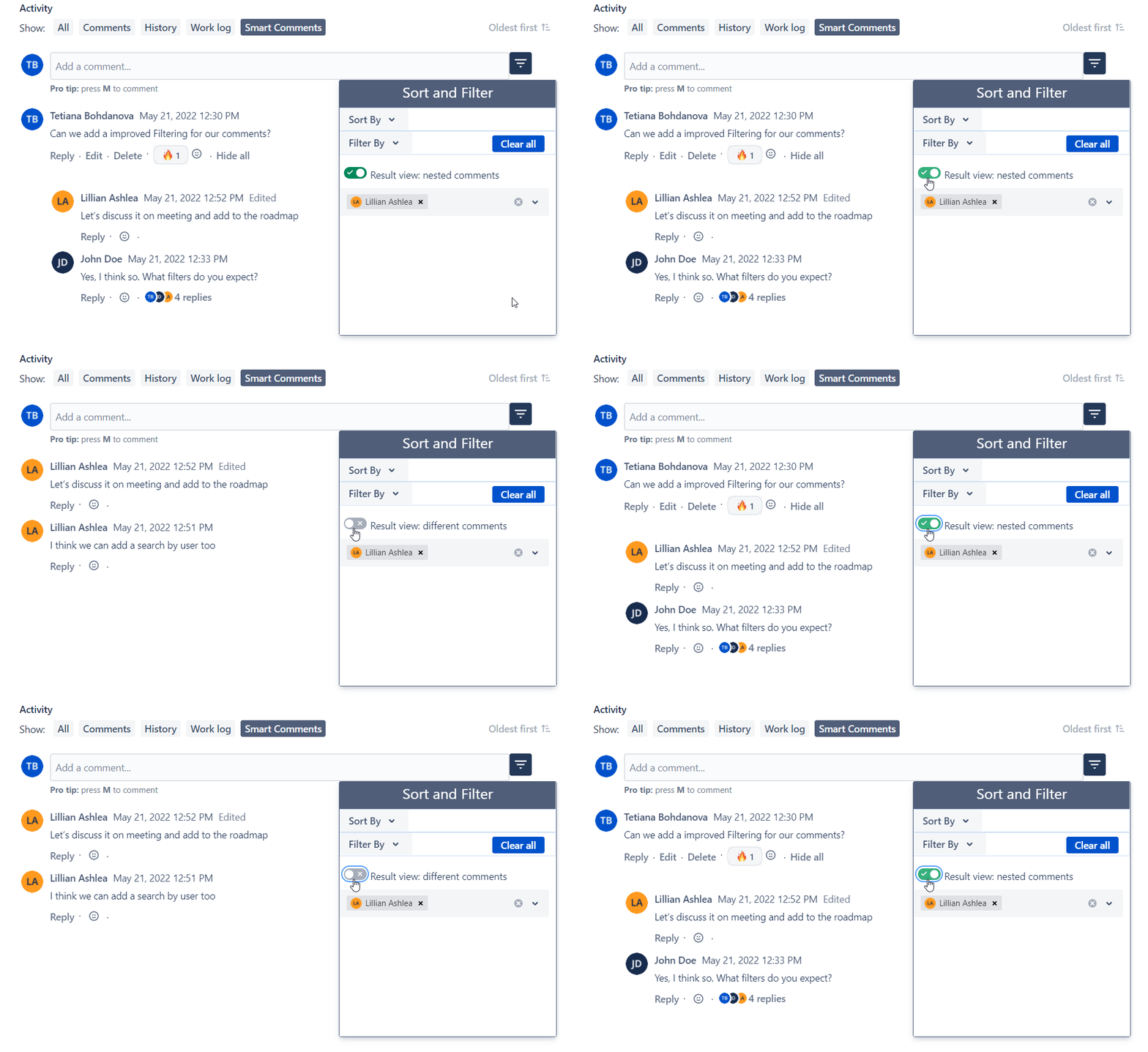
Combine a few filtering parameters together with sorting to get the best results.
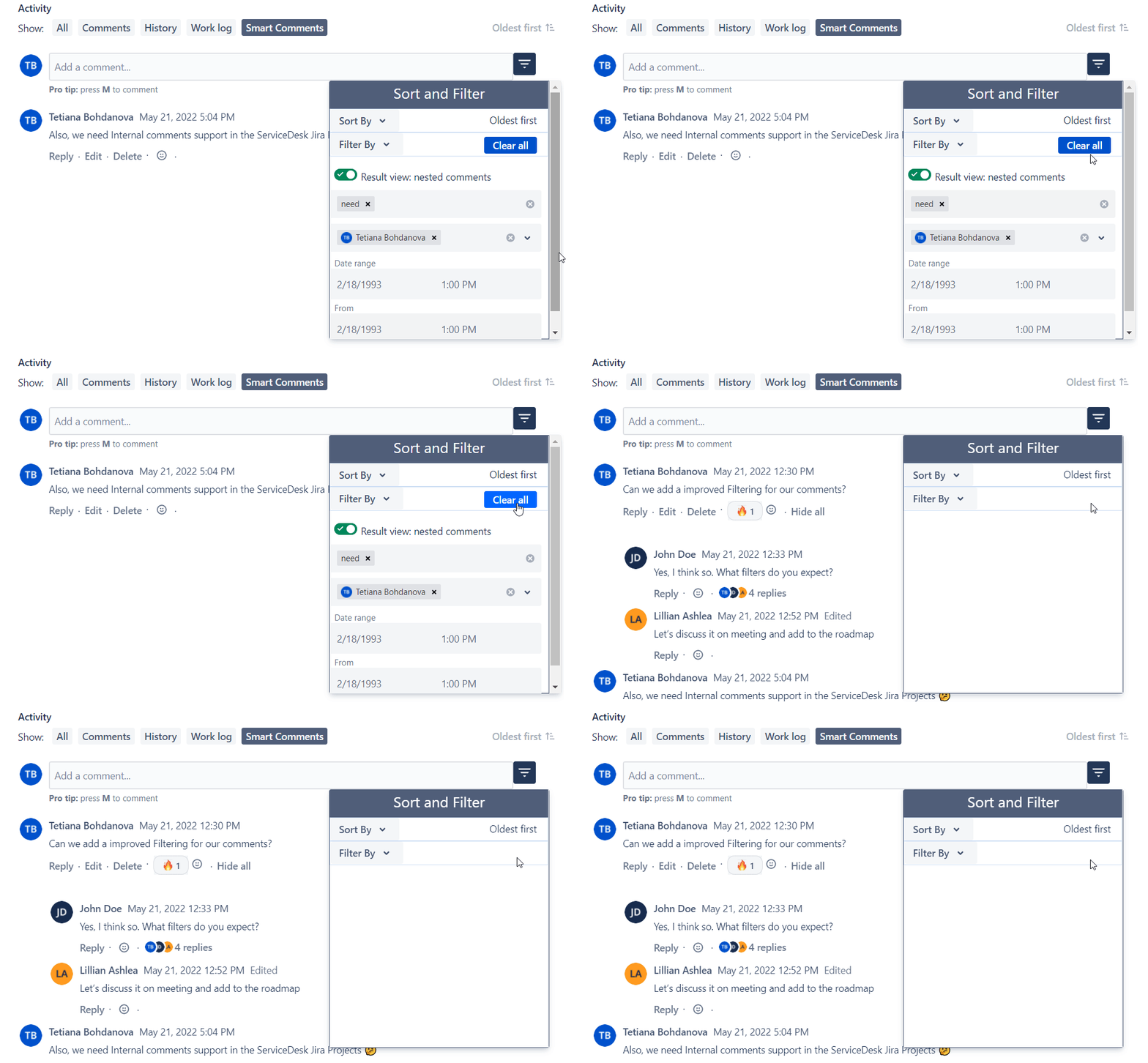
To clear all search parameters click the ‘Clear All’ button in the ‘Sort and Filter’ action menu
Filter