.png)
Encrypted Comments for Jira is being retired
This app will be removed from the Atlassian Marketplace on December 17, 2026. On that date it stops working on your site.
Decrypt and save anything you need to keep before then. Once the app is removed, encrypted comments cannot be read or recovered.
We will move the app to no charge before that date, so you will not be billed for it again.
Our other apps are not affected.
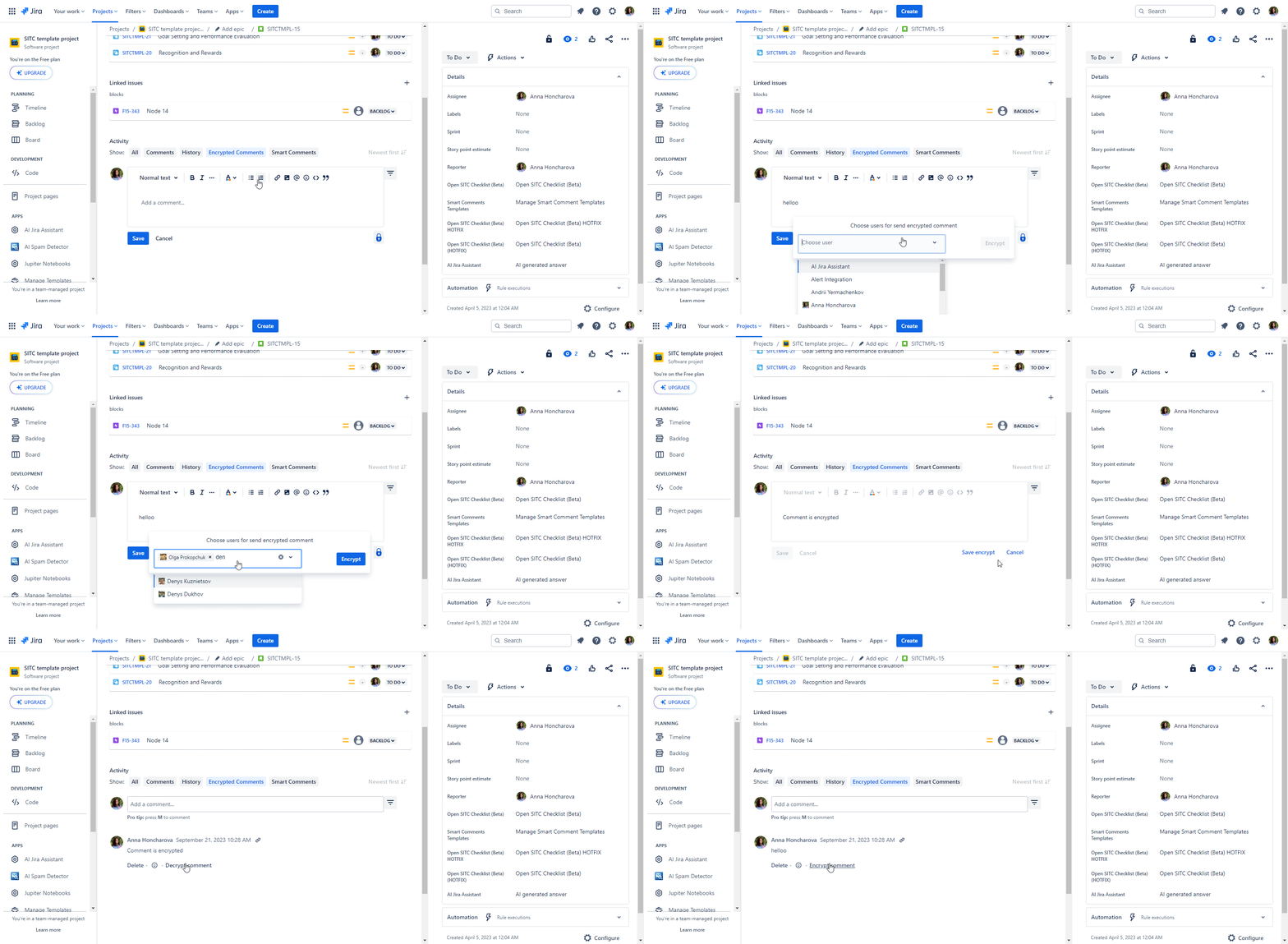
Welcome to the Encrypted Comments App User Guide! This guide provides step-by-step instructions on how to create encrypted comments that only specific users can decrypt and read.
🎯 Key Features:
-
End-to-End Encryption: Comments are encrypted on your end and only decrypted by the intended recipients.
-
Selective Sharing: Choose specific team members to view the encrypted comments.
-
Secure Viewing: Only selected users have the option to decrypt and view the encrypted comment.
⁉️ How to Install?
-
Log into your Jira instance as an admin.
-
Click the Apps dropdown menu and choose Explore More apps
-
Search for the Encrypted Comments
-
Click the Free trial to download and install your app.
-
Now the App is available on your instance and ready to run!