.png)
A new look is coming
We are redesigning Templates, Scopes and Hierarchies to feel closer to the Jira you already use every day. All three arrive together in a single release at the end of October 2026.
This is a design change, not a functional one. Every feature you use today is still there: the same filters, the same columns, the same sorting, the same search, the same actions and the same options in every form. They look different and take fewer clicks. Nothing has been removed.
And nothing to do on your side. Your templates, scopes, hierarchies, variables and permissions stay exactly as they are, along with all your data. Nothing to reconfigure, nothing to migrate.
A preview: Templates
Templates is the furthest along, so we can show it to you now. Scopes and Hierarchies are being rebuilt to match it, which makes these three images a fair preview of the whole release.
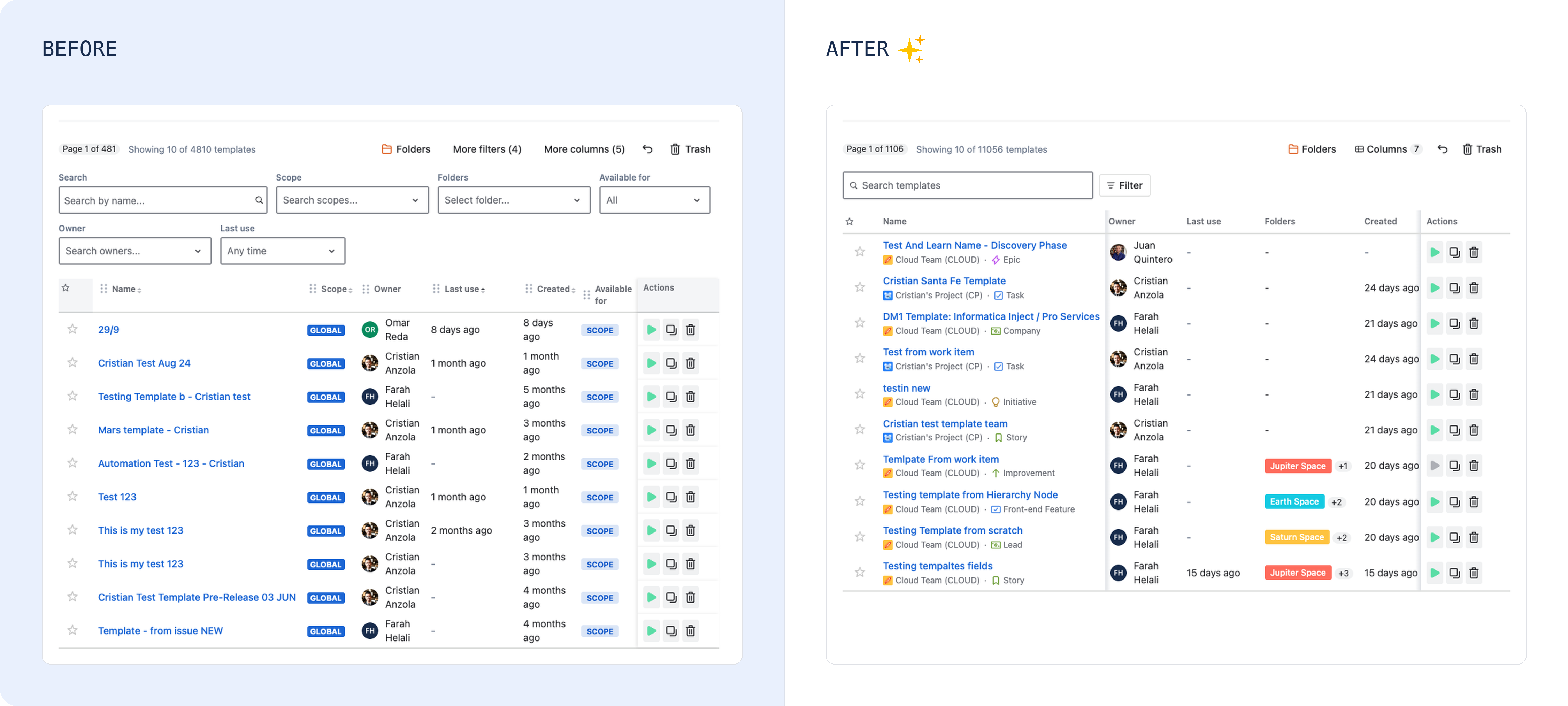
The template list
The same list, in a table you can shape: sort by any column, choose which columns you see, and find row actions in a menu on hover rather than competing for space in the row.
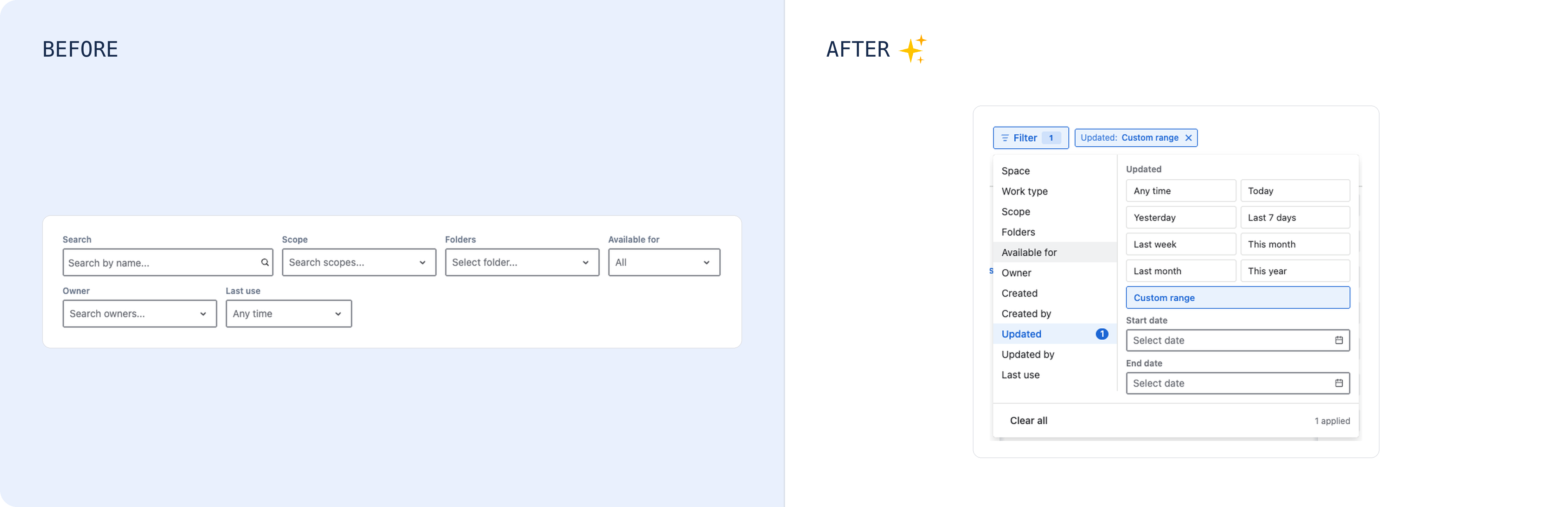
Filters
The same filters, gathered into a single popup instead of sitting across the top of the page, and each one now takes more than one value at a time.
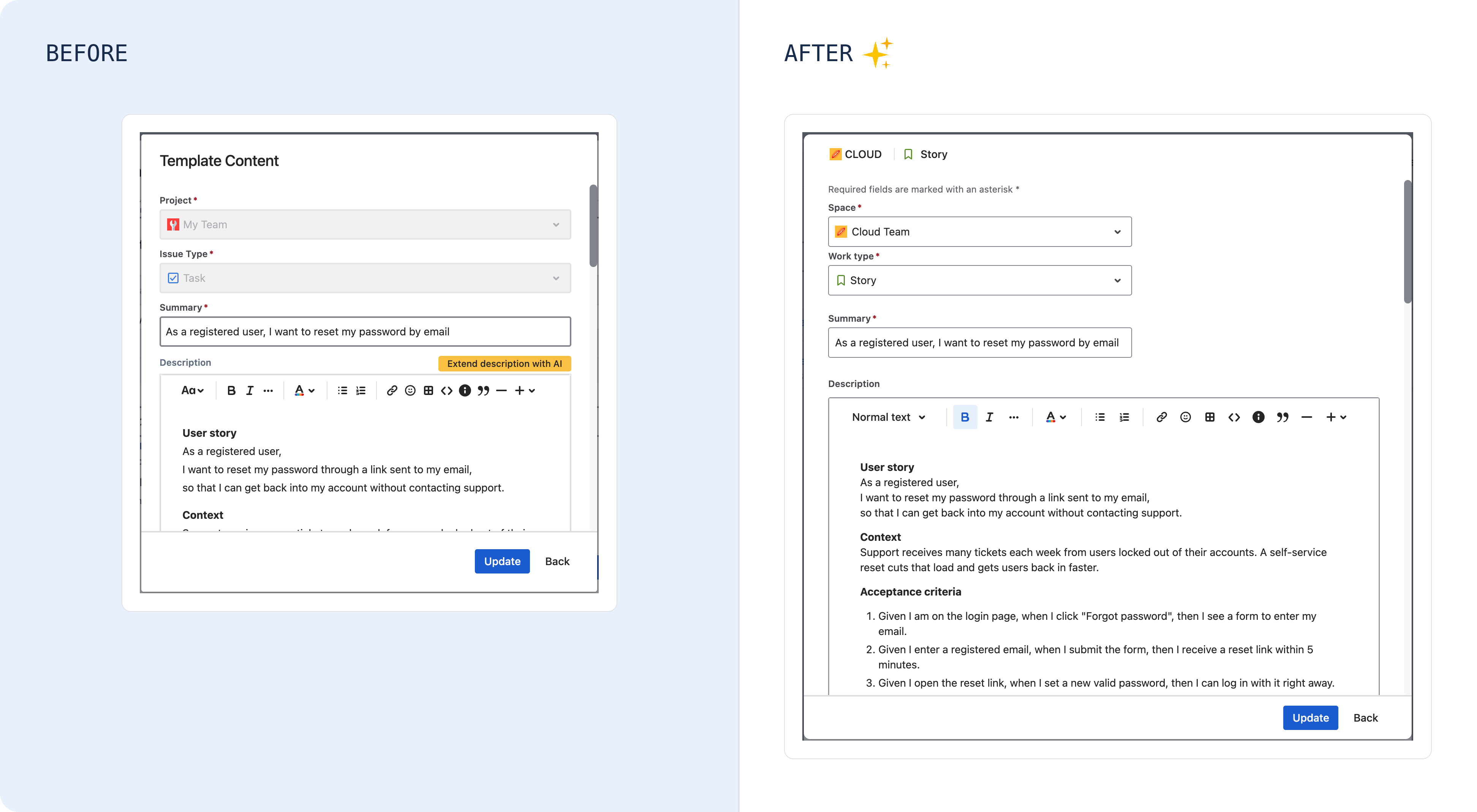
Creating and editing a template
The same fields and the same options, in a form that now looks like Jira's own create-issue dialog, down to the field spacing, the labels, the work type icons and the pickers. If you know how to raise an issue in Jira, you already know this form.
Scopes
Scopes will use the same table, the same filter popup and the same dialog as Templates, so the two pages finally behave the same way. Everything Scopes does today, it will still do. We will add its images to this page before the release.
Hierarchies
The editor becomes a proper tree, in the style of Jira Plans, with a node's fields in a panel beside it so you can edit them without losing your place. The manage page gains the same filters and column picker as the other two. Images for this one will follow here as well.
A few things do more than look different
Nothing has been taken away. These are the additions and the one change in how something behaves, listed so they are not a surprise:
-
Hierarchies can be reorganized by dragging. Moving a node used to mean rebuilding it. Now you drag it, and the tree shows you where it will land.
-
Node fields can be edited straight from the tree, as well as by opening the node, which still works as it does today.
-
Filters accept several values at once, where before you picked one.
-
The name search runs when you press Enter, rather than on every keystroke.
What does not change
-
Everything you can do today: filtering, columns, sorting, search, bulk actions, and every option in the forms.
-
Your templates, scopes, hierarchies, variables, tags and permissions, and all the data in them.
-
How templates and hierarchies are applied, including scheduled runs.
-
The API and anything built on it.
-
Your pricing and your licence.
Tell us what you think
The release is still being built, so your feedback can still change it. Send it through our support portal. Tell us what felt slower, what you could not find, and what you liked.