.png)
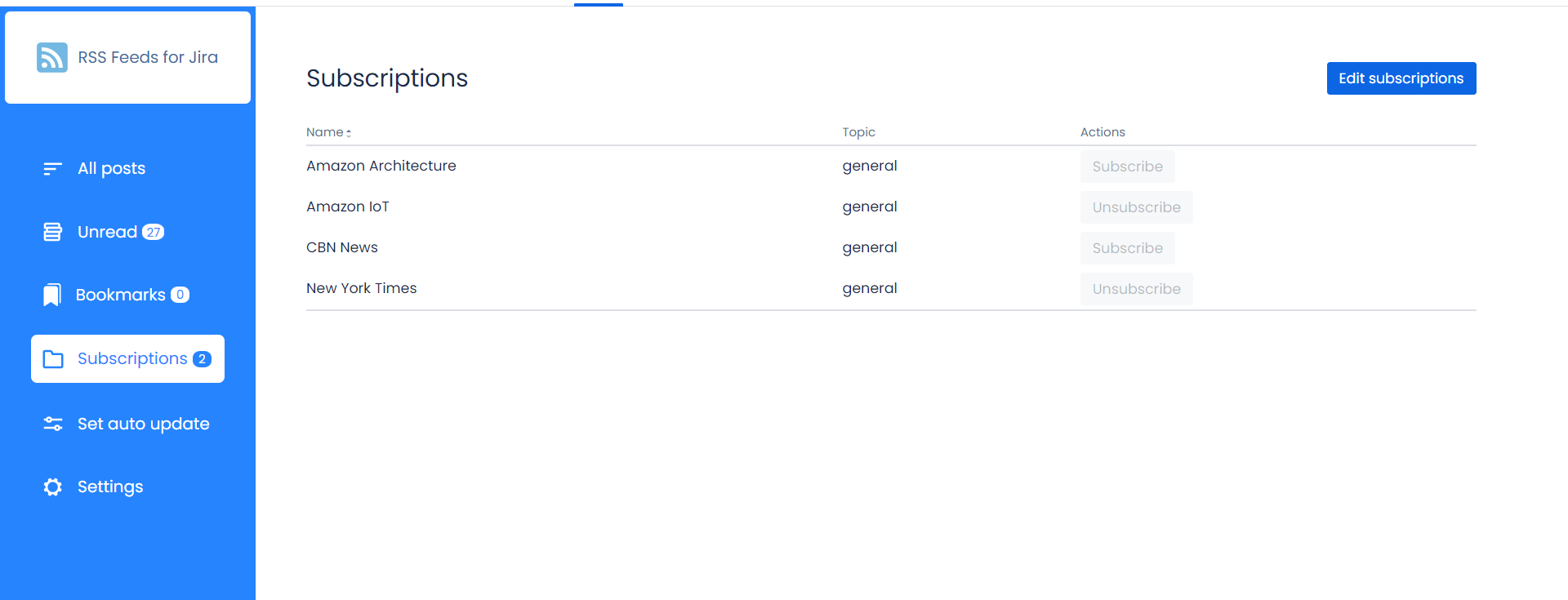
All connected subscriptions are available for all users on the ‘Subscriptions’ page. Here users can choose resources they want to get news.
Add Subscription
A user granted Create Permission can add new subscriptions to the instance.
-
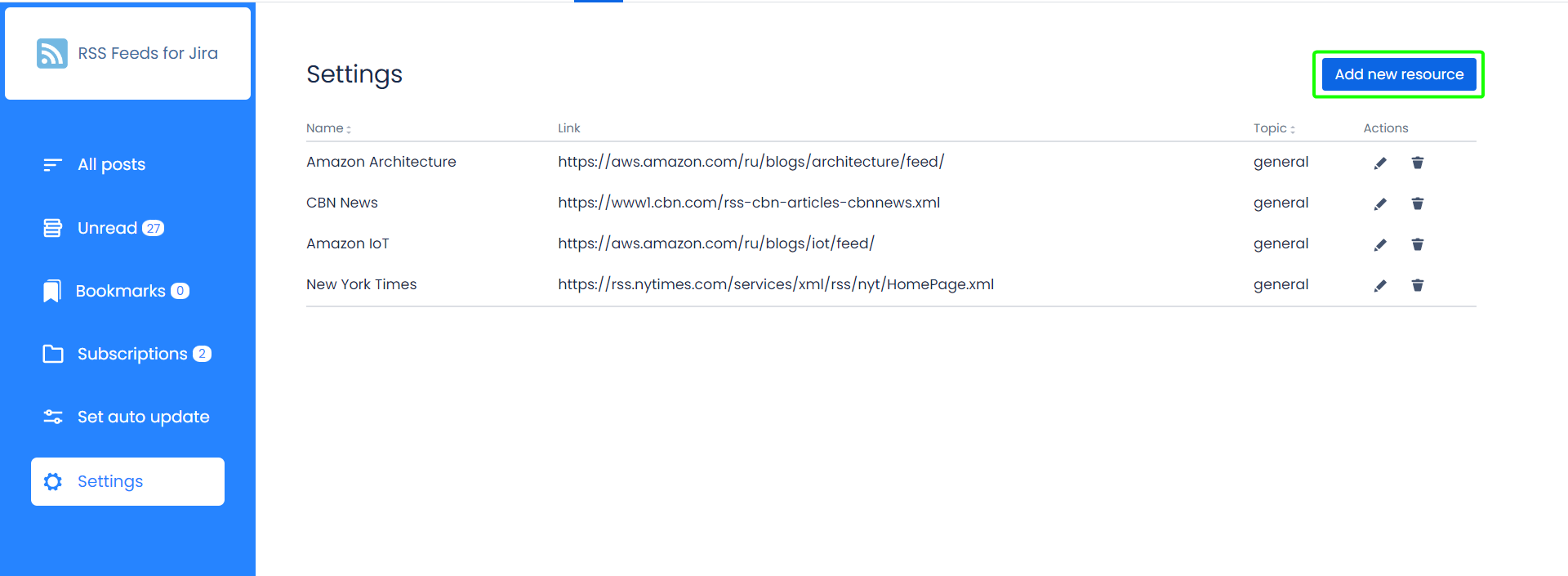
Open the ‘Settings’ tab
-
Click the ‘Add new resource’ button
-
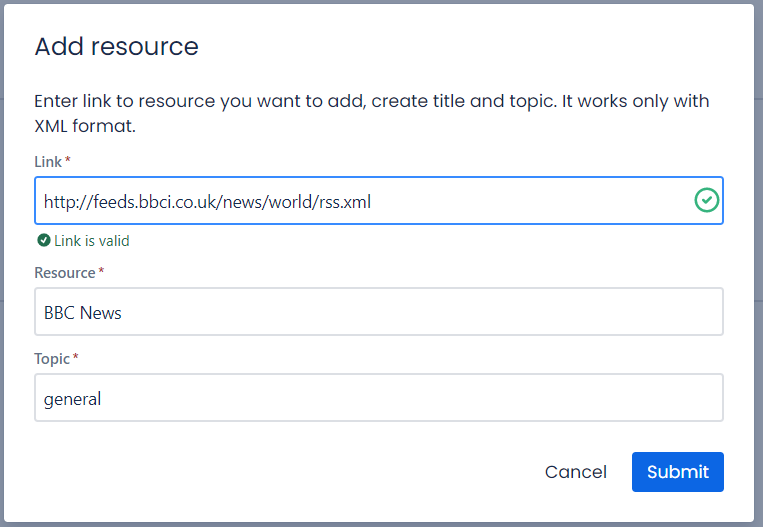
Enter the XML link to the resource
-
Click the ‘Confirm’ button to validate the link
-
Select the name that will be shown for all users
-
Add a resource topic
-
Click the ‘Submit’ button
You can find an XML link to the desired blog using the special web resourses, like the following one: https://blog.feedspot.com/world_news_rss_feeds/
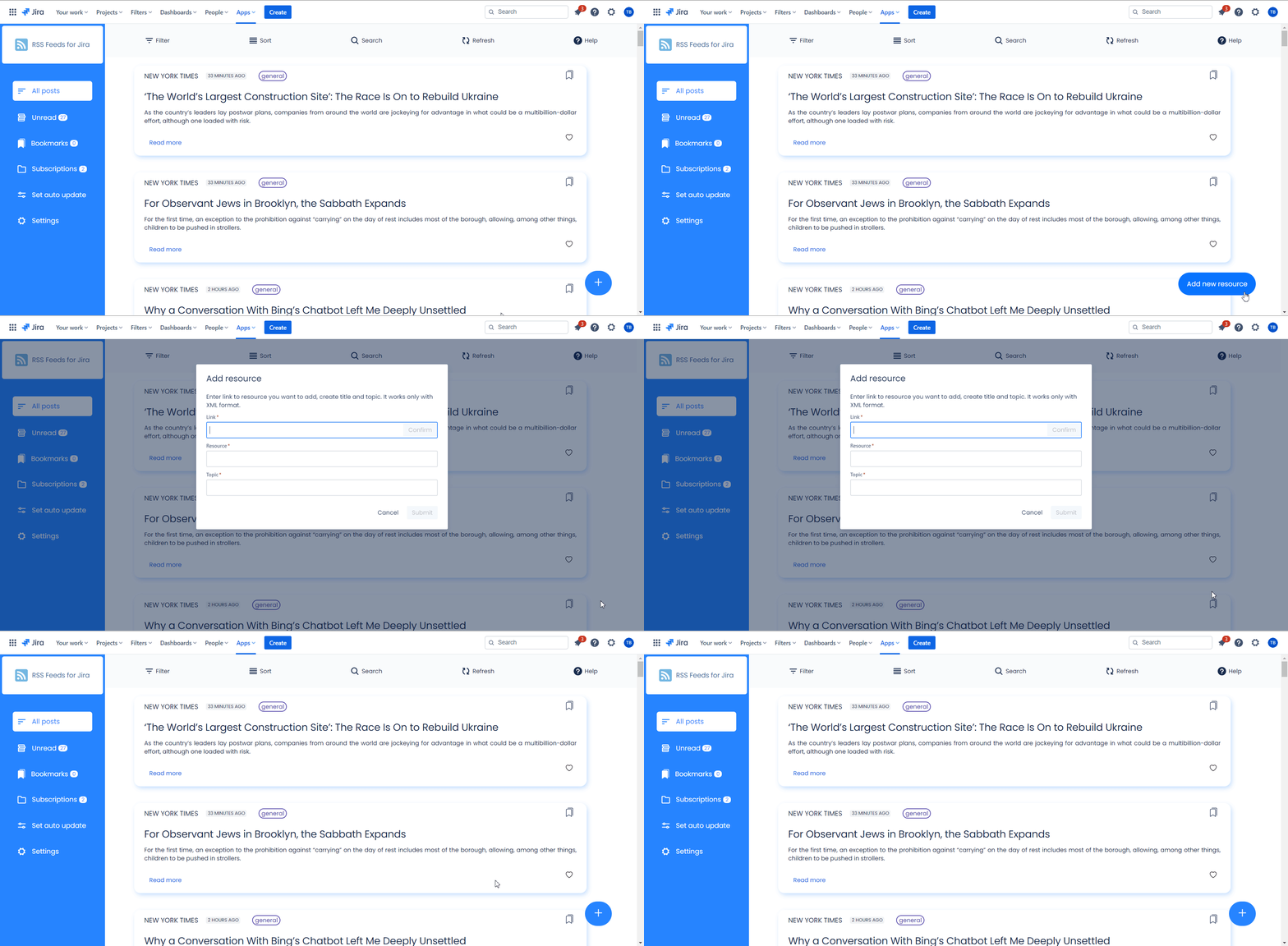
A new subscription can also be added to the ‘All posts’ page:
Edit Subscription
-
Open the ‘Settings’ tab
-
Click the ‘Edit’ button at the subscription row
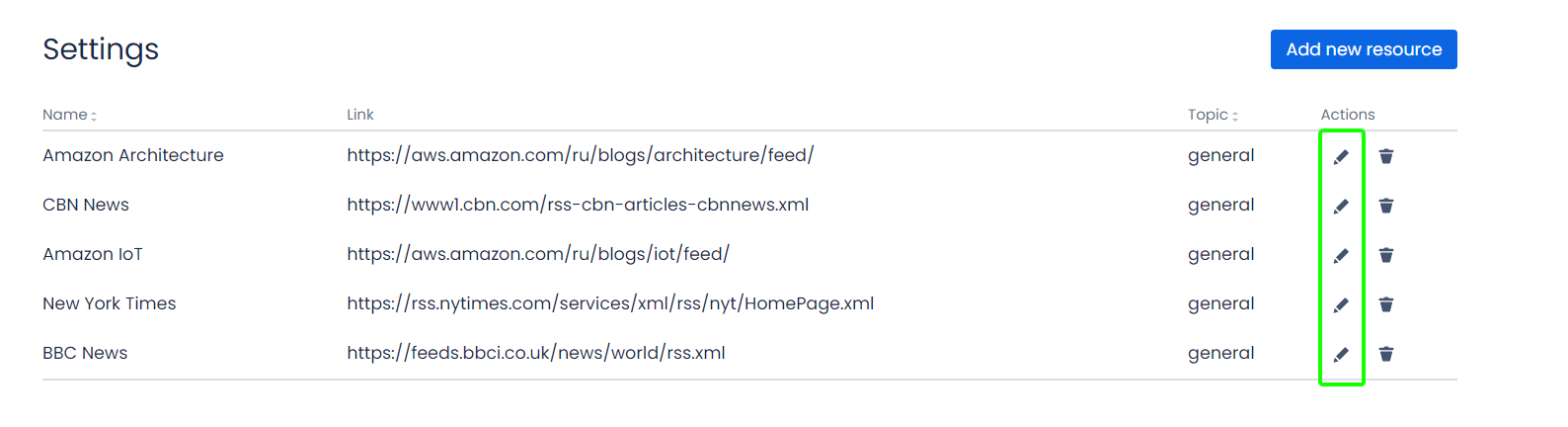
-
Update data
-
Click the ‘Submit’ button
Delete Subscription
-
Open the ‘Settings’ tab
-
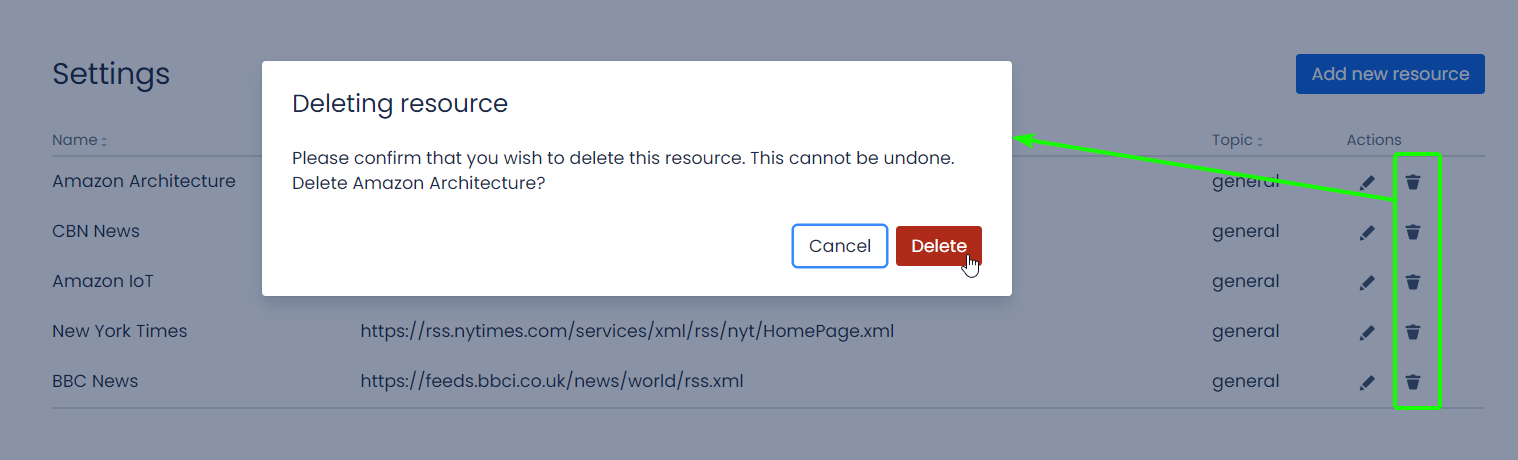
Click the bin icon at the subscription row
-
Click the ‘Delete’ button in the ‘Deleting resource’ dialog
Manage Subscriptions
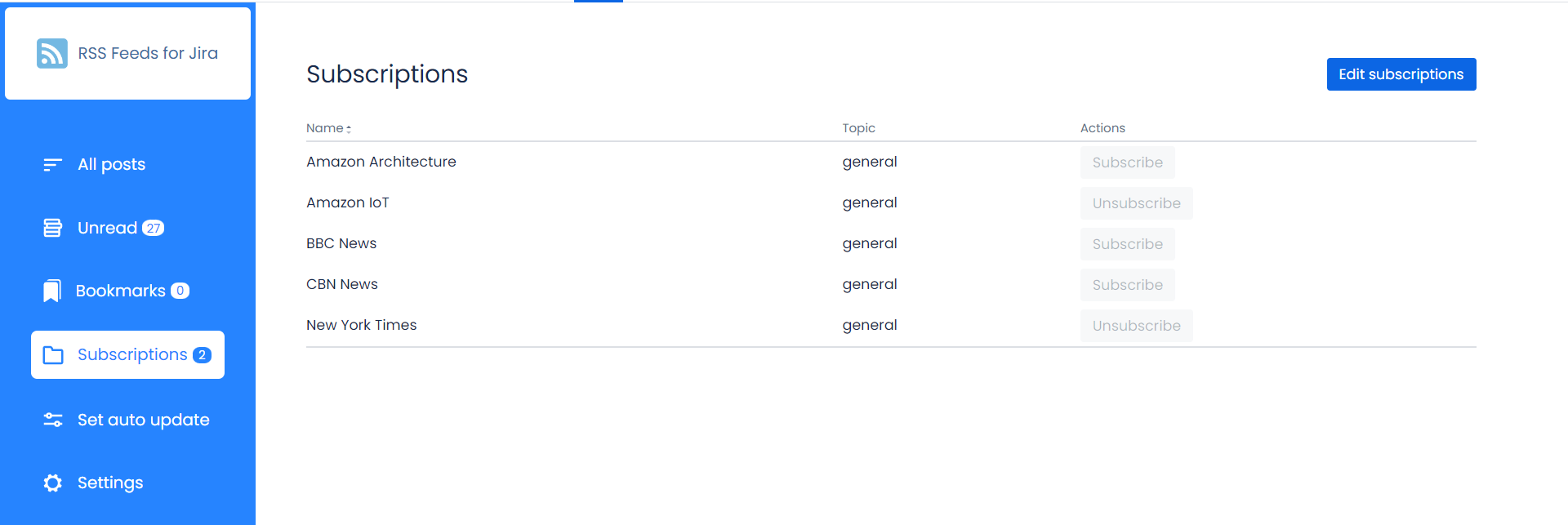
Each user chooses the resources from which he wants to receive news. On the ‘Subscriptions’ page the list of all associated resources is added. With the ‘Subscribe’ and ‘Unsubscribe’ action buttons users can change their subscriptions anytime.
-
Open the ‘Subscriptions’ page
-
Click the ‘Edit Subscriptions’ button
-
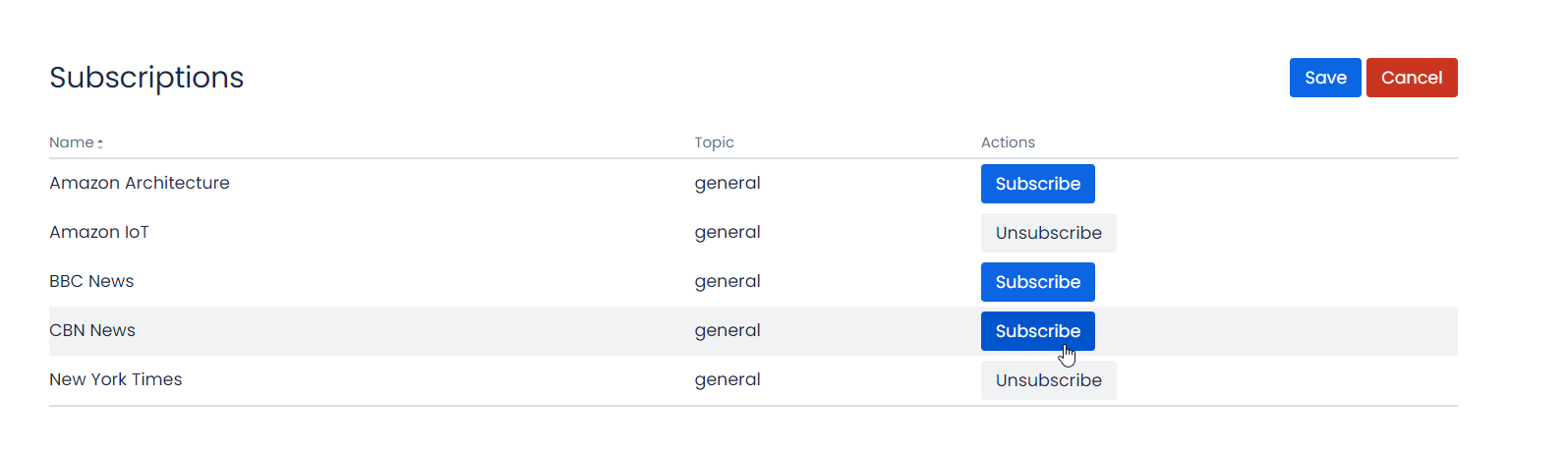
Click the ‘Subscribe’ button in the resource row to start getting posts
-
Click the ‘Unsubscribe’ button in the resource row to stop getting posts
-
Click the ‘Save’ button to save a subscription